Skip the hype in both directions
Small businesses currently hear two stories about AI. One says every tool must have it or the business is falling behind. The other says it is all hype and hallucinations. Both are lazy. The accurate picture is narrower and more useful: AI is now genuinely good at a specific family of tasks — reading, summarizing, drafting, extracting, and classifying messy human language — and still unreliable as an unsupervised decision-maker.
That distinction does most of the work in deciding where AI belongs in an operational tool. The question is never "should our software use AI?" It is "which steps in our workflow involve a person reading something messy and turning it into something structured — and what happens if that step is occasionally wrong?" Where errors are cheap and reviewable, AI is often a bargain. Where errors are expensive and invisible, it is a liability wearing a feature's clothes.
The jobs where AI earns its keep
In the systems WizeApps builds — intake flows, booking systems, internal trackers — the same handful of AI applications keep proving worthwhile, because they sit at the messy boundary between human language and structured data.
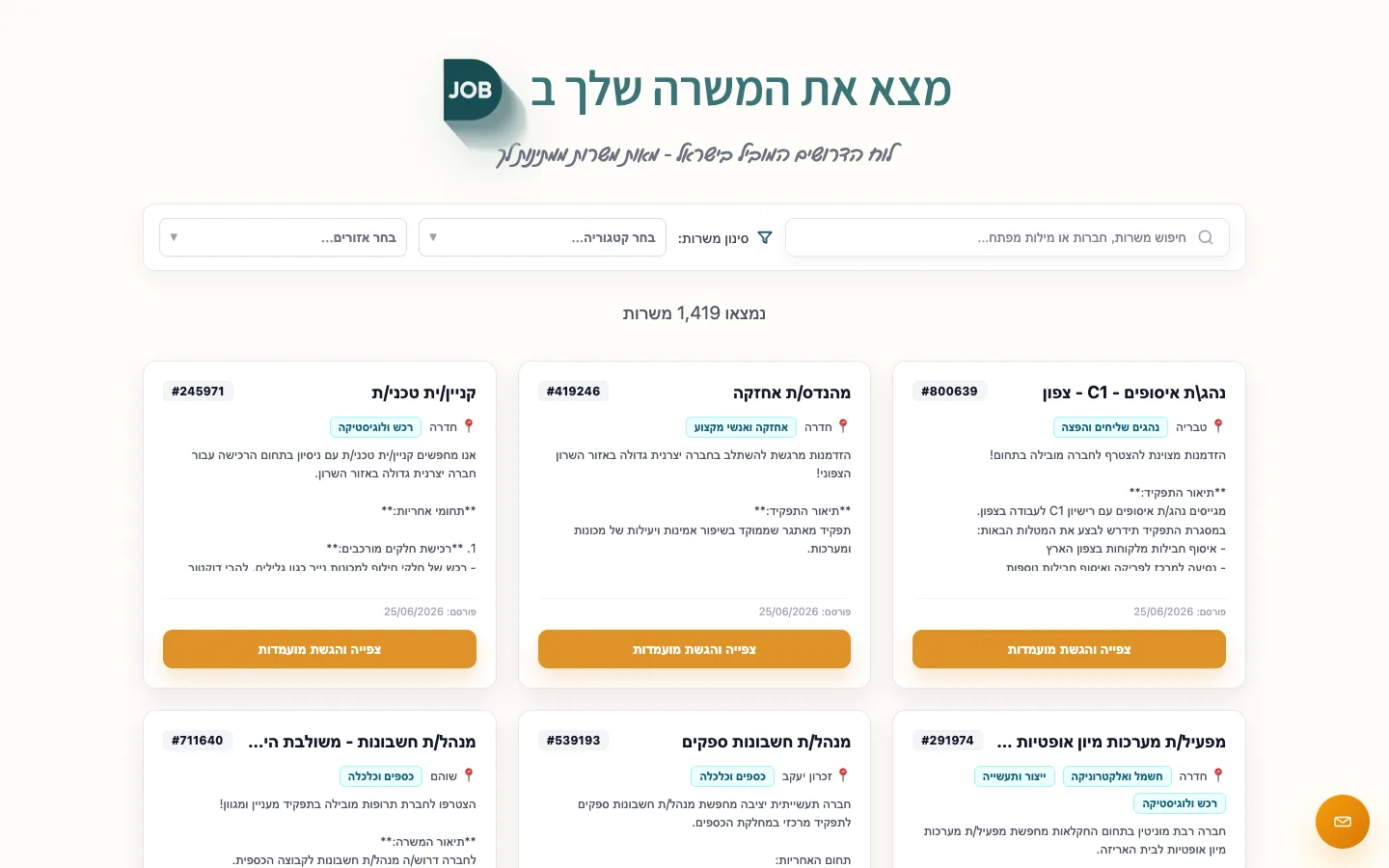 Real build exampleAI matching in production without an ML teamDjob ranks candidate-job matches with off-the-shelf embeddings (OpenAI text-embedding-3-small) gated by plain business rules — the AI drafts the match, the rules decide. No ML team involved.Built in about 6 months · live at djob.agency
Structuring incoming requests
A customer writes three paragraphs by email or WhatsApp; AI extracts the service, the urgency, the contact details, and drops a structured request into the queue. The person still decides — they just stop retyping.
Drafting replies and follow-ups
First drafts of quotes, confirmations, and answers to common questions, written in your tone, edited by a human before sending. Cuts response time dramatically without removing the human from the conversation.
Summarizing history
Before a call, a three-line summary of a client's past bookings, issues, and preferences — assembled from notes nobody has time to reread. Cheap to generate, immediately felt.
Categorizing and routing
Tagging inbound messages as booking, complaint, invoice question, or spam, and routing them to the right person. Classification is one of the most reliable things current models do.
Search that understands meaning
Finding 'the client who complained about the delivery gate code' in your own notes, without remembering the exact words used at the time.
Where AI quietly causes damage
The failures worth worrying about are not the obvious ones. Nobody lets a chatbot sign contracts. The damage comes from plausible-looking output entering records unreviewed: an extracted phone number with two digits swapped, a summary stating a customer confirmed when they asked a question, a confident answer about a policy that does not exist. Each error is small; the cost is that the team stops trusting the data, and a system nobody trusts is worse than no system.
Three placements deserve particular caution. Customer-facing AI with no human review — an assistant that misquotes a price to one customer costs more trust than it saves in staff time. Compliance-adjacent language — anything touching health, legal, or financial claims needs a person who is accountable for the words. And silent automation — AI that acts without leaving a visible trace of what it did and why, which turns every small error into a mystery hunt.
The pattern that works: draft, don't decide
Almost every safe, high-value AI feature in operational software follows one pattern: the AI produces a draft — an extraction, a summary, a suggested reply, a proposed category — and a person confirms it with one glance and one click. The person stays accountable; the AI removes the typing and the searching. Review takes seconds; the work it replaces took minutes. That gap is the entire business case, and it is usually enough.
The pattern has a second virtue: it generates its own evidence. Because people confirm or correct each draft, you learn the real accuracy rate on your data within weeks. Where corrections are rare, you can consider automating that step fully, with spot checks. Where corrections are common, the AI stays a drafting assistant — still useful, honestly scoped. Compare that with launching full automation on faith and discovering the error rate from angry customers.
Adding AI to a system you already have
AI features are usually additions to a workflow, not replacements for one. If you already have a booking system or an intake flow, the practical path is to identify the single most annoying reading-or-writing step, add one draft-don't-decide feature there, and measure corrections for a month. The integration is typically an API call to a model provider from your existing backend — for most small systems this is days of work, not months.
Two cost notes worth knowing. Model usage is priced per amount of text processed, and for operational volumes — hundreds of requests a day, not millions — the monthly bill is usually a rounding error next to the staff time saved; a pilot answers this with your real numbers. And ask where your data goes: reputable providers offer terms under which your customers' messages are not used to train their models. That belongs in your privacy policy either way.
Questions that separate signal from sales pitch
When a vendor or developer proposes an AI feature, a few questions cut through the label to the substance. They are the same questions this guide has been circling, compressed into a checklist you can use in a meeting.
What exactly does it read, and what does it produce?
A concrete answer — 'it reads inbound emails and produces a structured request' — is a feature. 'It leverages AI to optimize your workflow' is a brochure.
Who reviews the output?
If the answer is nobody, ask what a wrong output costs and how you would notice it happened.
What is the correction rate on our data?
Nobody knows before a pilot. A vendor claiming certainty without one is guessing on your behalf.
What happens without the AI?
Good designs degrade to the manual path when the model is down or wrong. If the workflow collapses without it, the dependency deserves more thought.
Frequently asked questions
Is AI too expensive for a small business tool?
Usually the opposite: at small-business volumes, model usage costs are typically small compared to the staff time the feature saves. The costs that matter are the build cost of the feature and the review time — which is why starting with one narrow feature and measuring is the sensible path.
Can we just use a general chatbot instead of building anything?
For drafting emails and answering general questions, yes — and many teams should start there. A built-in feature earns its cost when the AI needs your data (booking history, client notes, service rules) and needs to write results back into your system rather than into a chat window someone copies from.
Do we need to tell customers we use AI?
If AI talks to customers directly, disclose it — pretending a bot is a person is a trust risk and, in some places, a regulatory one. For internal drafting where a human reviews and sends, disclosure is not generally expected, but your privacy policy should reflect any customer data shared with a model provider.
About the author
Ohad Mayrom — Founder, WizeApps
Ohad Mayrom is the founder of WizeApps, where he designs and builds booking systems, client intake flows, internal operations tools, and MVPs for small businesses and early-stage founders. He writes plain-language guides to help non-technical owners commission software with confidence.
Connect on LinkedInKeep reading
Thinking about building this?
Tell us what is not working yet. A few clear examples of the current workflow are enough to start a useful conversation.
Start a conversation