Building should be the exception, not the default
It is tempting to assume your business is unique enough to need its own software. Sometimes that is true. Far more often, the problem you are facing has already been solved well by an existing product, and building your own version means paying to recreate something you could rent for a fraction of the cost and effort.
A good rule of thumb: buy by default, and build only when buying genuinely fails you. Custom software is powerful, but it carries a cost most people underestimate — not just to build, but to maintain, fix, secure, and improve forever. Existing products spread those costs across thousands of customers. Yours would carry them alone.
The hidden costs of building
The build price is only the beginning. Software you own is software you must keep alive. It needs hosting, updates, bug fixes, security patches, and changes as your business and the world around it shift. A feature that took two weeks to build can generate small maintenance demands for years, and those demands do not stop when the original developer moves on.
There is also opportunity cost. Time and money spent rebuilding a solved problem — invoicing, scheduling, email marketing, accounting — is time and money not spent on the thing that actually makes your business distinctive. Off-the-shelf tools let you skip the solved problems and focus your limited resources where they create real advantage.
When buying is clearly the right call
For common, well-understood business needs, an existing product is almost always the better choice. These are problems thousands of businesses share, which means mature tools already handle the edge cases you have not even thought of yet, backed by support teams and continuous improvement you do not have to fund.
Standard business functions
Accounting, payroll, email, calendars, and document storage are solved problems — buy them.
Common operations
Invoicing, basic scheduling, CRM, and email marketing have excellent affordable tools already.
Anything regulated or risky
Payments and identity are areas where mature, compliant providers are far safer than a custom build.
Things that are not your edge
If a capability does not differentiate you from competitors, it is a candidate to buy, not build.
When building actually makes sense
Building is justified when existing tools genuinely cannot do the job, or when the software itself is your advantage. If your workflow is unusual enough that every product forces awkward compromises, if you are stitching together five tools with manual copy-paste between them, or if the way you operate is a real competitive edge, custom software can be transformative rather than indulgent.
The clearest case for building is when the software is the product — when what you sell is the application itself. In that situation, off-the-shelf tools cannot deliver your value, and owning the product is the whole point. Outside of that, building is usually about removing a specific, costly friction that no existing tool resolves, not about preferring something bespoke.
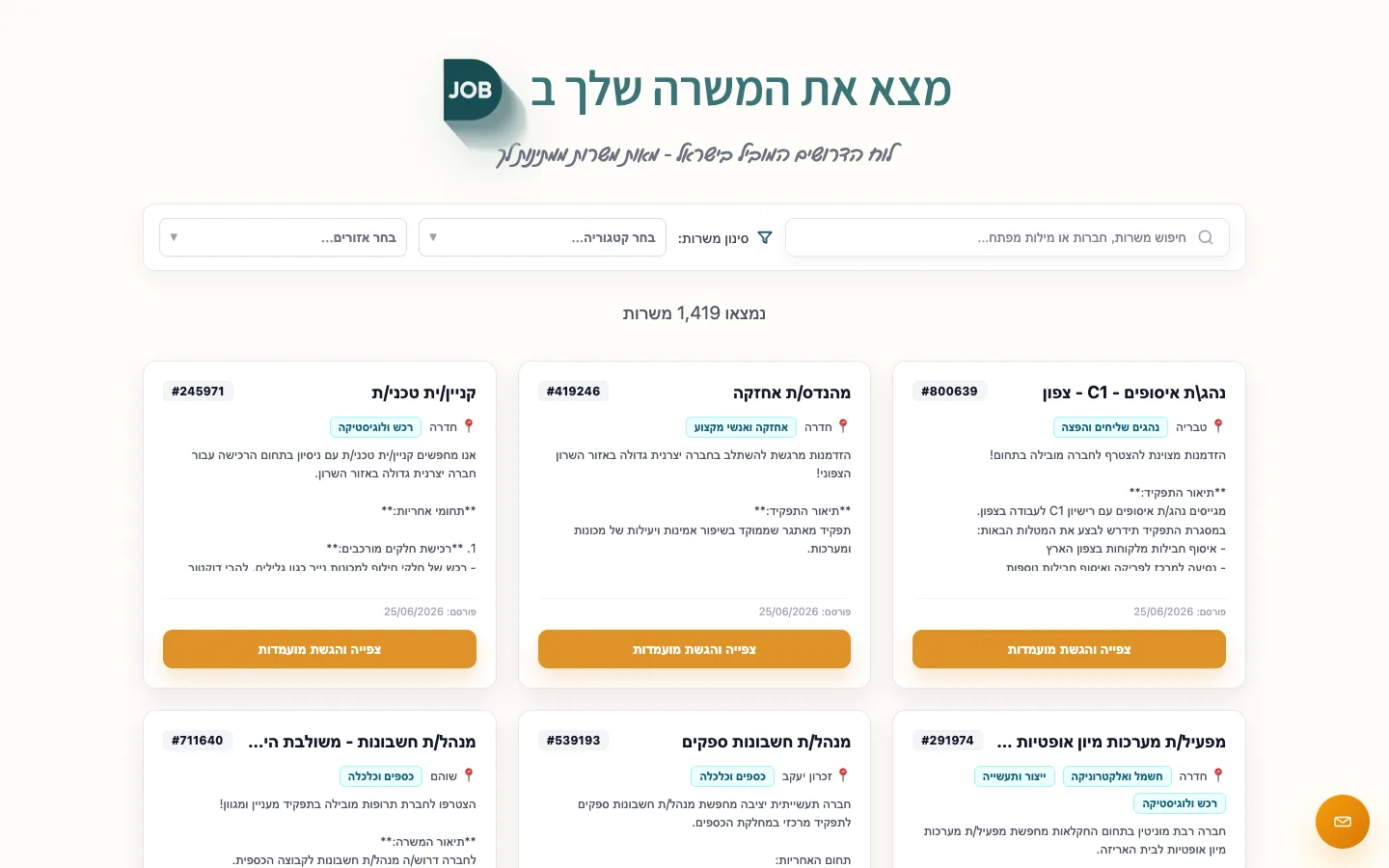 Real build exampleWhy Djob justified a custom platformRecruiting needed two user flows, admin operations, embeddings, gates, and match snapshots — a real example of software being the product, not a generic back-office tool.Built in about 6 months · live at djob.agency
The path most businesses should take
In practice, the best answer is rarely pure build or pure buy. Most businesses are best served by buying mature tools for the solved problems and building only the thin layer that is genuinely specific to them — often a small system that connects existing tools together and automates the handoffs between them.
Before commissioning any custom software, do a serious search for an existing product first, and try to live with it honestly. If a tool gets you 80% of the way, the remaining 20% may not be worth a custom build at all. And if you do build, aim to build the smallest piece that existing tools cannot provide, rather than recreating capabilities you could have rented. The goal is leverage, not ownership for its own sake.
Interactive tool
Build vs. buy quick check
Select what is true for the project. The output is a starting point for a conversation, not a quote.
Recommendation
Use a hybrid path
Start with existing tools where they fit, then build only the part they cannot cover.
Frequently asked questions
How do I find the existing tools worth trying?
Ask businesses like yours what they use, search for your workflow plus the word 'software', and look at what integrates with the tools you already run. A day of research and two or three free trials is cheap compared with commissioning a build for a solved problem.
What if an off-the-shelf tool does 80% of what I need?
Live with it honestly for a month before deciding the missing 20% justifies a build. Often the gap turns out to be a habit, not a requirement — and when it is real, a small connector or add-on around the tool is usually far cheaper than replacing it.
When is building clearly the right choice?
When the software is the product you sell, or when the way you operate is a genuine competitive edge that generic tools flatten. Outside those cases, build only the thin layer no existing tool provides — usually the glue between systems, not the systems themselves.
About the author
Ohad Mayrom — Founder, WizeApps
Ohad Mayrom is the founder of WizeApps, where he designs and builds booking systems, client intake flows, internal operations tools, and MVPs for small businesses and early-stage founders. He writes plain-language guides to help non-technical owners commission software with confidence.
Connect on LinkedInKeep reading
Thinking about building this?
Tell us what is not working yet. A few clear examples of the current workflow are enough to start a useful conversation.
Start a conversation