Manual is fine — until it isn't
There is nothing wrong with running a process by hand. A spreadsheet, a shared inbox, and a group chat will carry a small business surprisingly far, and replacing them too early is its own kind of waste. The problem is that manual processes rarely announce when they have outgrown themselves. They degrade quietly: a few more customers, a new staff member, one busy season, and suddenly the same workflow that felt nimble is costing hours and dropping details.
The signals below are the ones worth watching. None of them means you need a large software project. Most point toward a small, focused system that removes the fragile parts of a workflow while leaving the human judgment exactly where it belongs.
Signal 1: the work repeats with only small variations
If your team handles the same type of request every day and only a few details change, the process is a strong candidate for a system. Repetition with low variation is the clearest sign that software can help, because the rules are stable enough to encode. The more a task feels like "the same thing again with a different name on it," the more time a system will give back.
Common examples include intake forms that get retyped into another tool, follow-up reminders sent one at a time, internal approvals that wait in someone's inbox, and status updates copied between a chat and a spreadsheet. Each of these is predictable, and predictable work is exactly what a small system is good at.
Signal 2: mistakes come from handoffs, not judgment
It is worth separating two kinds of work. Some steps need a person's judgment — deciding whether to take on a client, how to handle an unhappy customer, what a quote should be. Those steps should stay human. But many operational mistakes have nothing to do with judgment. They happen in the gaps between people: a name copied incorrectly, a call that was never returned, a file sent to the wrong address, a status that someone forgot to update.
When you look at recent errors and most of them are handoff failures rather than bad decisions, that is a strong signal. A small system can preserve every bit of human judgment while removing the fragile relay race between inboxes, tabs, and memory. The people keep deciding; the software stops the details from falling through the cracks.
Signal 3: people keep asking for the same status
Pay attention to the questions that get asked over and over: "did that get done?", "where is my order?", "has the client replied?", "who is handling this?" When clients, staff, or managers repeatedly ask for status, the process is missing visibility, and answering those questions is itself a hidden tax on the team.
This is often the cheapest problem to solve and the one with the biggest felt improvement. A simple shared tracker or an automatic notification when something changes can eliminate a whole category of interruptions. You do not need a dashboard with charts — you need the current state of things to be visible without anyone having to ask.
Signal 4: the process only works when one person is there
If a workflow quietly depends on one person who "just knows how it works," the business carries a real risk. When that person is on holiday, off sick, or leaves, the process stalls or breaks. Knowledge living only in someone's head is a sign the process is ready to be written down — and writing it down is usually the first step toward a system.
A small system encodes that knowledge so it does not walk out the door. It also makes training new staff far faster, because the workflow guides them instead of relying on a long apprenticeship beside the one person who understands it.
What to do with the signals
Noticing these signals does not mean rushing to build. It means you have found a process worth examining closely. Start by writing down how the work actually flows today, where it slows down, and which steps are judgment versus handoff. That map alone often reveals quick fixes that need no software at all.
Where a system does make sense, keep the first version small: target the single most painful signal, automate only the predictable steps, and leave the judgment with people. The aim is never to remove humans from the work — it is to stop spending them on the parts a system handles better, so their time goes to the parts only a person can do.
Interactive tool
Should you automate this?
Score the process from 0 to 5 on each signal. Higher means stronger evidence that software will help.
There is signal here, but the next step is workflow mapping, not code.
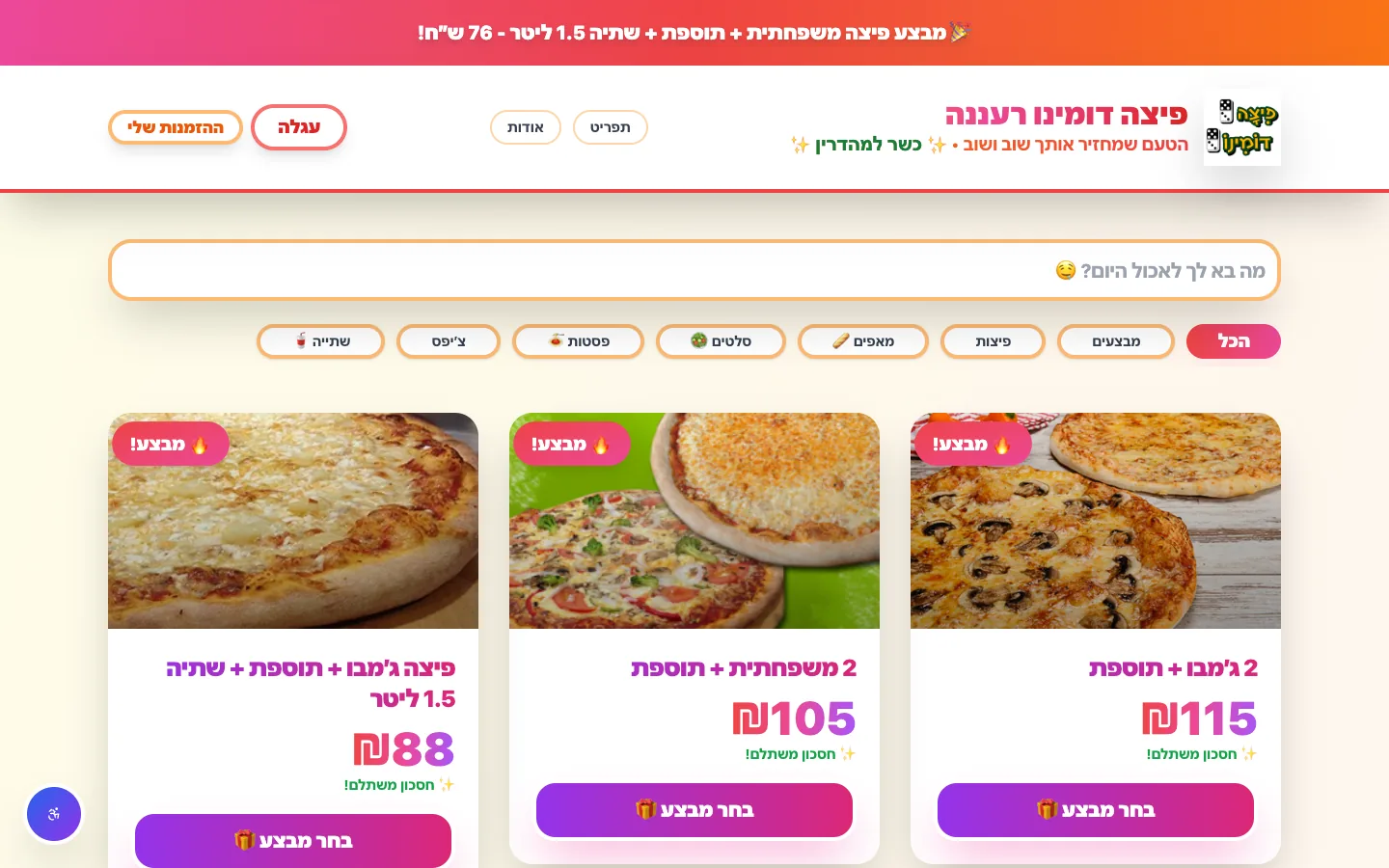 Real build exampleHow Domino Ra'anana moved phone orders into a systemOrders that arrived by phone all day showed every signal on this list. The ordering site that replaced them — menu, cart, delivery rules, POS handoff — has been running for over five years.Built in about 2 months · live at domino-rn.co.il
Frequently asked questions
Which process should I automate first?
The one showing the strongest signal from this guide — usually the workflow with the most handoff mistakes or the most repeated status questions. Picking the most painful process first also makes adoption easier, because the team feels the relief immediately.
Will automating a process make my team feel replaced?
Not if the system targets handoffs rather than judgment. In practice teams adopt these tools fastest when the first thing automated is the part they complain about — retyping, chasing status, sending the same reminder. The decisions stay with people.
Is a spreadsheet ever the right long-term answer?
Yes. If volume is low, one person owns the data, and mistakes are rare and cheap, a well-kept spreadsheet is a perfectly good system. The signals in this guide matter precisely because they mark the point where that stops being true.
About the author
Ohad Mayrom — Founder, WizeApps
Ohad Mayrom is the founder of WizeApps, where he designs and builds booking systems, client intake flows, internal operations tools, and MVPs for small businesses and early-stage founders. He writes plain-language guides to help non-technical owners commission software with confidence.
Connect on LinkedInKeep reading
Thinking about building this?
Tell us what is not working yet. A few clear examples of the current workflow are enough to start a useful conversation.
Start a conversation